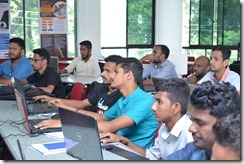
It was a great honor being a advisor for the Advanced Level Students of An Noor Vidyalaya, Anuradhapura.
I wish them a very successful career and life ahead.
Slides
Images

It was a great honor being a advisor for the Advanced Level Students of An Noor Vidyalaya, Anuradhapura.
I wish them a very successful career and life ahead.
Slides
Images
It was pleasure speaking at SharePoint Saturday, Bangalore which held on 1st of September 2018.
Event Url: http://www.spsevents.org/city/bangalore/bangalore2018
Slide
Some Clicks
Title: Microsoft Office 365 for Students
Venue: KDMC Nenasala
Date: 12 August 2018
Time: 09.00 am to 1.00 pm
Event Url: https://www.facebook.com/events/455303918286630/
Clicks during the event

I will be speaking at Sri Lankan Tech Summit – 2018 along with local and international MVPs and MCTs.
Title: Microsoft Office 365 Administration and Development
Venue: Batticaloa Public Library Auditorium
Date: 29 July 2018
Time: 09.00 am to 4.30 pm
Event Url: http://techeventsrilanka.com/tech-talk/
Clicks during the event
Album
https://www.facebook.com/pg/Suhail.Cloud/photos/?tab=album&album_id=742704072756126&__tn__=-UC-R


Title: Build Microsoft Teams Apps with Teams App Studio
Description: Microsoft Teams is the hub for teamwork in Office 365 that integrates with the apps and services. Microsoft Teams App Studio makes it easy to create and integrate custom apps and services. Teams App Studio is now the recommended way to develop Teams apps.In this session we will discuss on how to create apps using Teams App Studio.
Venue: Microsoft Sri Lanka, Access Towers II, Colombo
Date: 13th of June 2018
Time: 06 PM – 08 PM
Event Url: https://www.facebook.com/events/135965220607086/
Updated On 15th June
Slide Deck
Introduction
I was creating a Single Page Application using Angular 5, PnPJS Libraries and sp-rest-proxy.
I have created a boilerplate project in GitHub. Please clone and run the project after installing npm packages (npm install).
To run the project open two command prompts and type
npm run hmr
npm run serve.
You will be asked your SharePoint Online site url and the credentials in the command prompt. Feel free to provide them.
Once you done with these steps browse with http://localhost:4200/ and you will see your basic detail as below.
Since then you can develop your complex single page application.
GitHub Url
https://github.com/SuhailCloud/Angular5-PnPJS-SPRestProxy
Resources and References